Changelog

All of the latest additions and improvements we've made to DivMagic

2026

Apr 14, 2026

New FeatureRelease

✨ 🎉 Browser compatibility

  • DevTools panel behaves better with several tabs open
  • Context menu and toolbox launch more reliably
  • Options save correctly after extension updates

2025

Dec 14, 2025

Bug FixRelease

🐛 🦊 Year-end maintenance

  • Runtime updates under the hood
  • Copy pipeline less likely to stall on heavy sites
  • Firefox and Chrome stay in sync on recent fixes

2024

March 2, 2024

New FeatureImprovementsRelease

🆕 📈 🚢 New Feature

  • Added a new tool to the toolbox: Color Picker
  • You can now copy colors from any website and directly use them in your projects
  • For now, this is only available in the Chrome extension. We are working on adding this feature to the Firefox extension as well.

February 24, 2024

New FeatureImprovementsRelease

💡 📈 🚢 New Features and Improvements

  • This version includes multiple new features: Toolbox, Live Editor, Options Page, Context Menu
  • Toolbox will include all tools you'll need for web development in one place. Font Copying, Color Picker, Grid Viewer, Debugger and more.
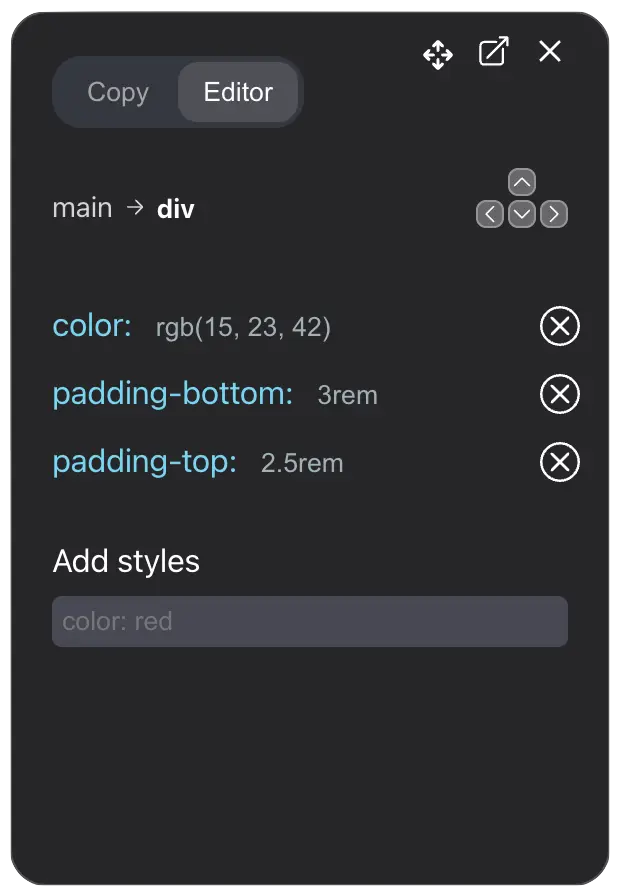
  • Live Editor will allow you to edit the copied element directly in the browser. You can make changes to the element and see the changes live.
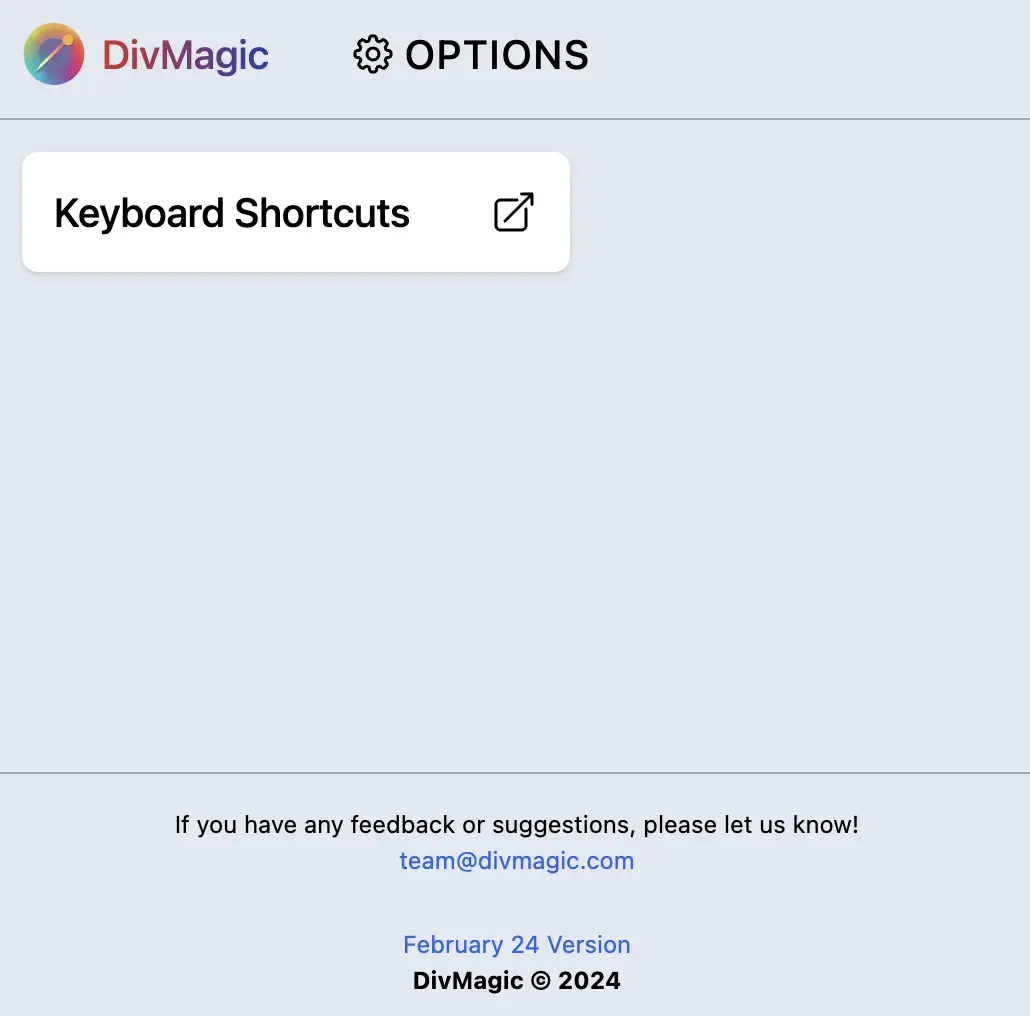
  • Options Page will allow you to customize the extension settings. You can change the default settings and set your preferences.
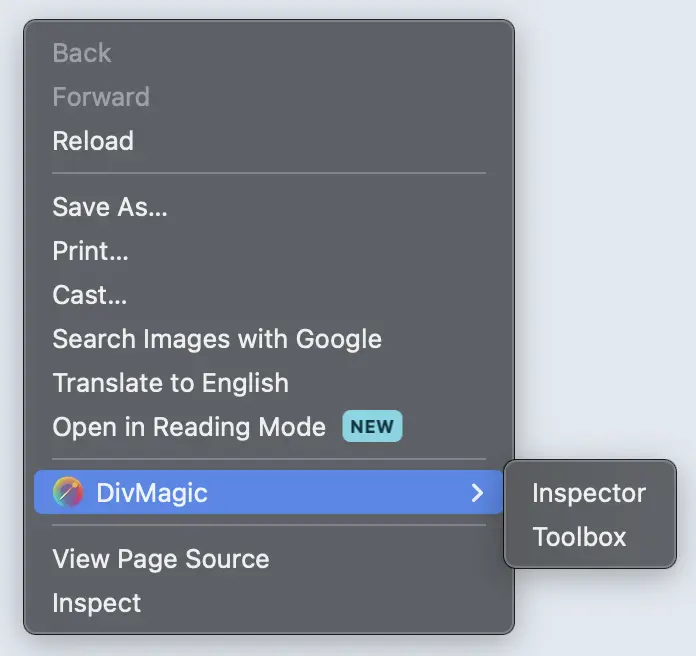
  • Context Menu will allow you to access DivMagic directly from the right-click menu. You can copy elements or launch the toolbox directly from the context menu.
  • Toolbox
  • Toolbox includes Inspect Mode, Font Copying and Grid Viewer. We are going to add more tools to the toolbox in the future.
  • Live Editor
  • Live Editor will allow you to edit the copied element directly in the browser. You can make changes to the element and see the changes live. This will make it easier to make changes to the copied element.
  • Options Page
  • Options Page will allow you to customize the extension settings. You can change the default settings and set your preferences.
  • Context Menu
  • Context Menu will allow you to access DivMagic directly from the right-click menu. Right now it has two options: Copy Element and Launch Toolbox.
New Features and ImprovementsNew Features and ImprovementsNew Features and ImprovementsNew Features and Improvements

2023

September 20, 2023

New FeatureImprovementsBug FixRelease

🆕 ⚡ ⚙️ 🚢 New Feature and Bug Fixes

  • DivMagic DevTools is released! You can now use DivMagic directly from DevTools without launching the extension.
  • You can copy elements directly from the DevTools.
  • Select an element by inspecting it and go to DivMagic DevTools Panel, click Copy and the element will be copied.
  • For more information, please see the documentation about DivMagic DevTools.
  • Permissions Update
  • With the addition of DevTools, we've updated the extension permissions. This allows the extension to add the DevTools panel seamlessly on all websites you visit and across multiple tabs.
  • Note
  • When updating to this version, Chrome and Firefox will display a warning that says the extension can 'read and change all your data on the websites you visit'. While the wording is alarming, we assure you that:
  • Minimal Data Access: We only access the bare minimum of data required to provide you the DivMagic service.
  • Data Security: All data accessed by the extension remains on your local machine and is not sent to any external servers. The elements you copy are generated on your device and are not sent to any server.
  • Privacy First: We're committed to safeguarding your privacy and security. For more details, you can view our Privacy Policy.
  • We appreciate your understanding and trust. If you have any concerns or questions, feel free to reach out to our support team.
  • Fixed a bug where conversion settings were not saved
New Feature and Bug Fixes

May 14, 2023

ImprovementsRelease

🚀 🦊 Firefox Release

  • DivMagic has been released on Firefox! You can now use DivMagic on Firefox and Chrome.
  • You can download DivMagic for Firefox here:

May 9, 2023

ImprovementsRelease

📈 🦊 DivMagic Launch!

  • We just launched DivMagic! The initial version of DivMagic is now live and ready for you to use. We're excited to see what you think!
  • Copy and convert any element to Tailwind CSS
  • Colors are converted to Tailwind CSS colors